
Scientific Workflow Infrastructure
SciWIn
One workflow format, two ways to work with it. Build, run, and publish reproducible computational workflows from the terminal with SciWIn-Client, or visually with SciWIn-Studio - every project works in both.
terminal
s4n create python calculation.py --population population.csv --speakers speakers.csv
📂 /home/ubuntu/sciwin_test
⏳ Executing command: python calculation.py …
📜 Found changes: results.csv
📄 Created CWL file workflows/calculation/calculation.cwl
s4n connect main --from calculation/results --to plot/data
➕ Added step calculation to workflow
✔️ Updated Workflow workflows/main/main.cwl!
SciWIn-Studio
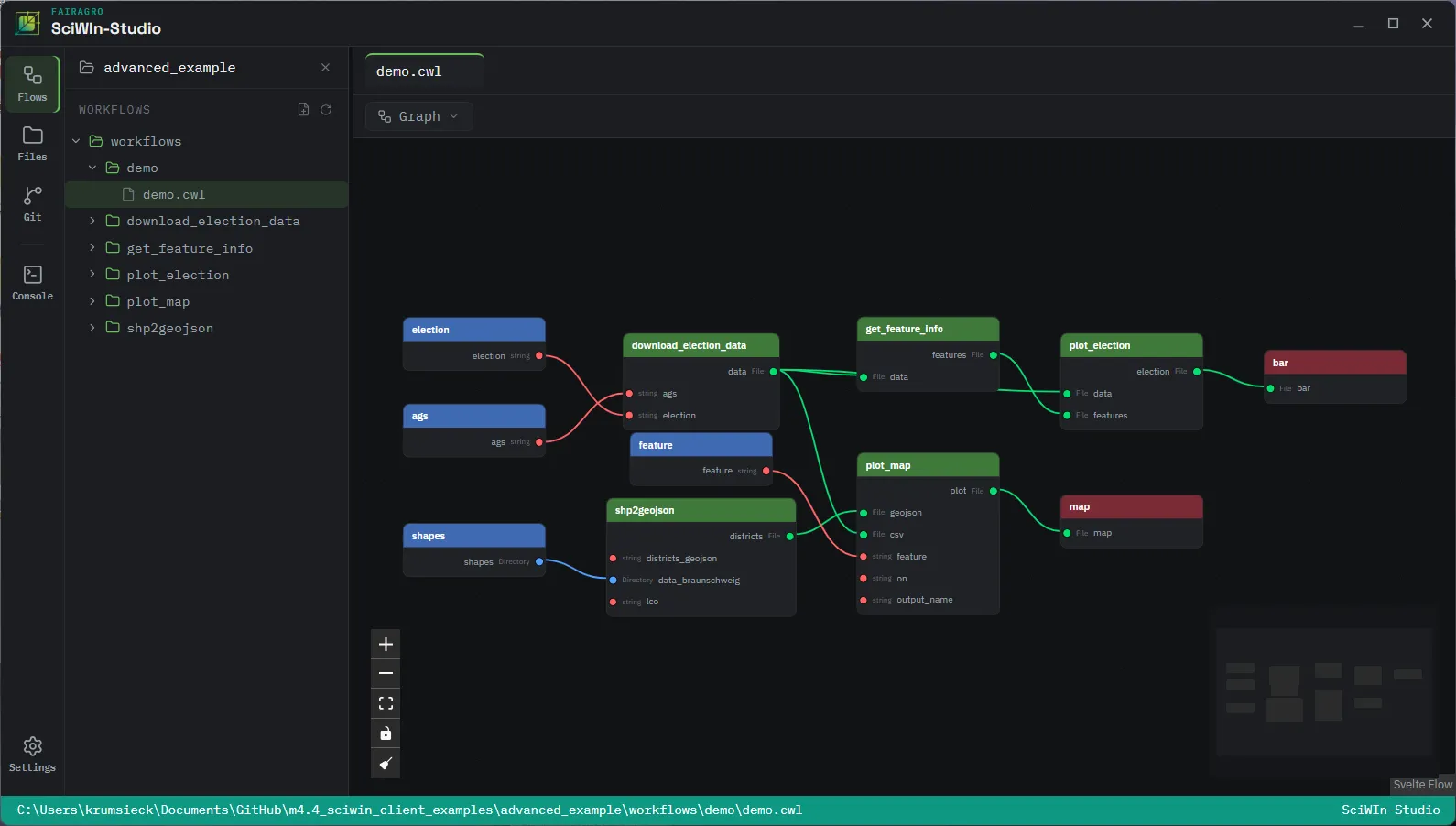
⇄ workflow.toml - same project
Author & run from the command lineWire the same tools together visually
Both write the exact same workflow.toml + CWL files + git repo. Start a tool in one, finish the workflow in the other - nothing to export or convert.
See it on real workflows
Section titled “See it on real workflows”Every example runs on real data, end to end.
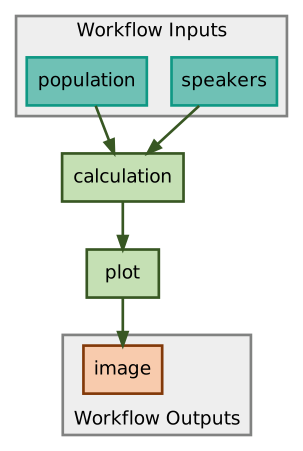
Getting started example
The Guide that gets you started with SciWIn-Client. If you just installed the software it is recommended to start here.
Read the walkthrough →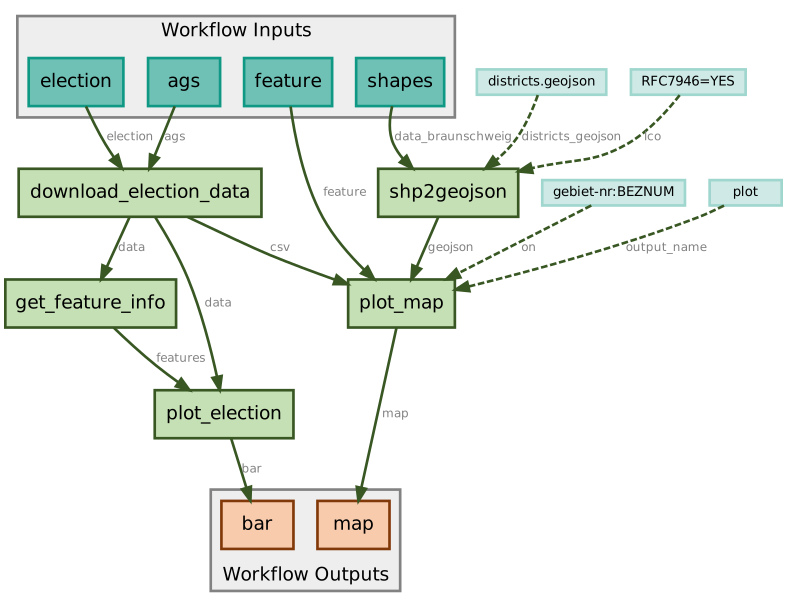
Real world example
A real world example based on real data of election results containing several steps and making use of containerization.
See the workflow →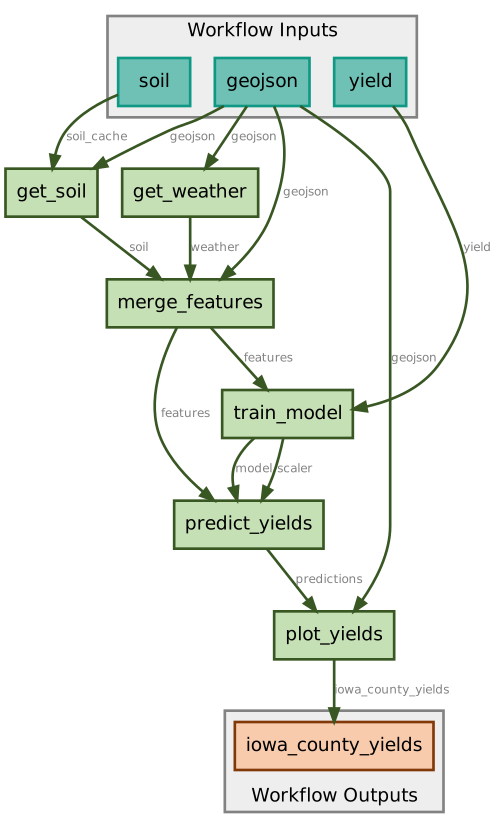
Corn Prediction (Iowa)
A simplified crop yield prediction pipeline that combines soil and weather data to train models and generate county-level yield predictions for Iowa.
See the workflow →Get started
Section titled “Get started”Pick the side you’ll work from - both open the exact same project.
Terminal
SciWIn-Client
- Install
s4n. The easiest way is the installer script.Linux
curl --proto '=https' --tlsv1.2 -LsSf https://fairagro.github.io/sciwin/get_s4n.sh | shWindows
powershell -ExecutionPolicy Bypass -c "irm https://fairagro.github.io/sciwin/get_s4n.ps1 | iex" - Initialize a project in your code repository.
s4n init
- Record your first tool by prefixing any command with
create.s4n create python echo.py "Hello World"
Visual canvas
SciWIn-Studio
- Download the latest release for your platform.
- Open a folder - a new one, or an existing
s4nproject. - Drag a CWL file onto the canvas and connect it into a workflow.